Skip to content

Shoutem

Create your app
  • Solutions
    • Shoutem Builder
    • Shoutem for Developers
    • Custom apps
    • No-code apps
    • Supported apps
  • Pricing
  • Resources
    • Tutorials & FAQs
    • Blog
  • Contact Us
    • Become Reseller
    • Fast App development – Shoutem Pro
    • Contact form – customization
    • Contact Sales
    • Contact Support
  • Sign in
  • Subscribe to our newsletter
  • About
  • Contact us
    • Facebook
    • Twitter
    • Instagram
    • LinkedIn
    • Youtube
Back to support
Contact us

Sign in With Apple

Back to support

Apple requires that apps that have a third-party sign-in system, like Facebook, have Sign-in with Apple as well.

Sign in with Apple allows you to set up a user account in your system, complete with name, verified email address, and unique stable identifiers that allow the user to sign in to your app with their Apple ID.

How to set up Sign in with Apple?

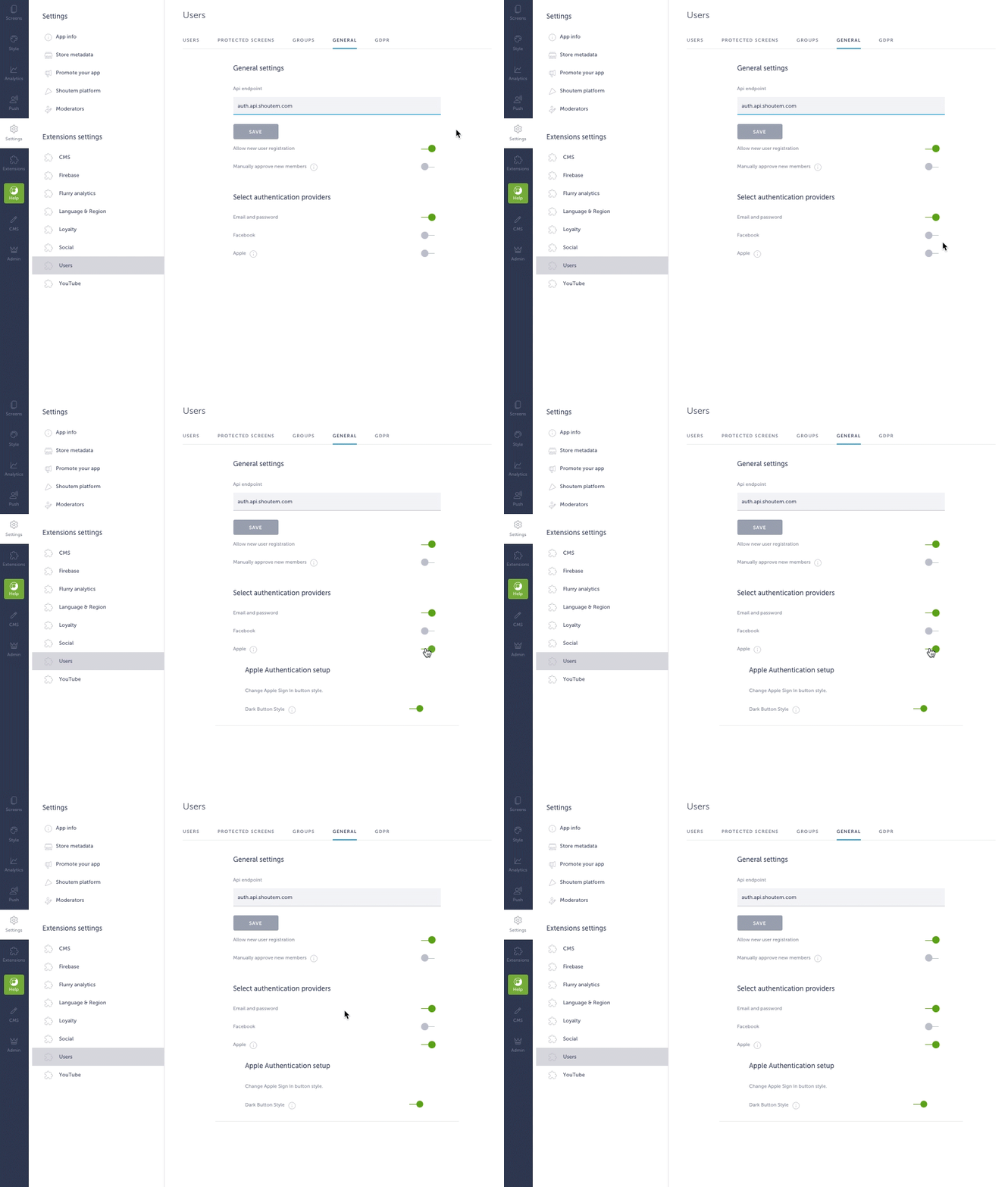
Go to Settings → Users → General → Authentication providers and enable Apple sign-in.
Choose Apple Button Style

The Apple Sign-in button can be black or white, depending on the app’s background color. If your app has a light background, the button should be black (dark mode enabled) and vice versa.
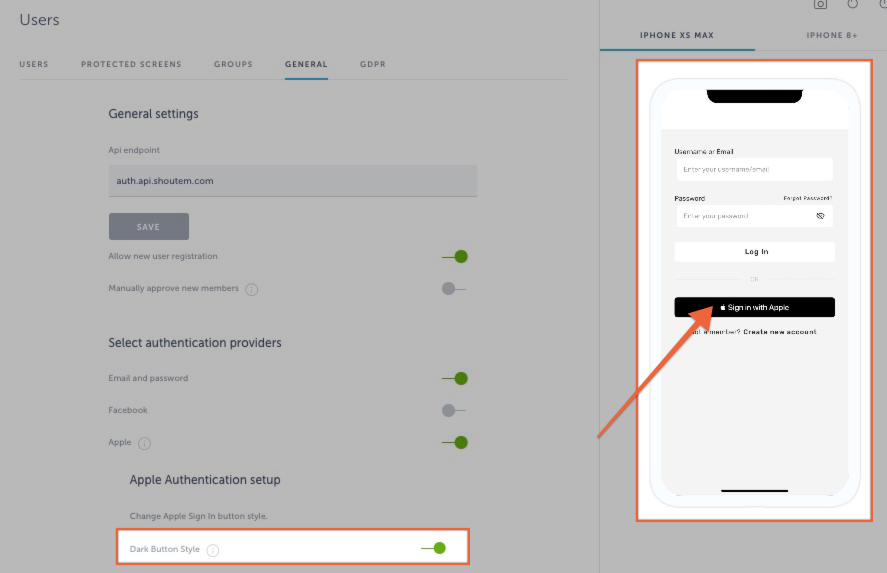
After you have completed the steps above, this is how the log in screen will look like in the live app:
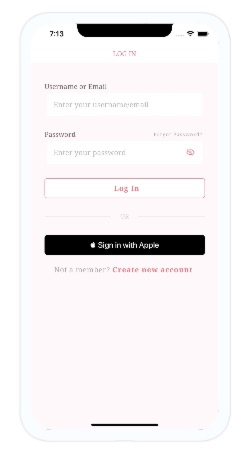
Sign in with Apple button is styled per Apple’s official guidelines.

In case your app was already live, after enabling Sign in with Apple, you should contact support@shoutem.com and we will resubmit the app to App Store.

Still got questions?
Didn't find what you were looking for? No problem! Feel free to write to our support team.
Contact support
Stay informed
Subscribe to our newsletter if you'd like to stay informed about Shoutem Extensions and Shoutem UI Toolkit.
Shoutem logo
Create exceptional apps. Faster.

Shoutem

  • Builder
  • Custom apps
  • Shoutem Pro
  • No-code apps
  • Reseller
  • Supported apps
  • Case Studies
  • Developers
  • Affiliate program

Company

  • About
  • Contact us
  • Terms of service
  • Privacy policy
  • DMCA

Support

  • Support Center
  • Contact Support
  • Blog
  • Service status
  • How to create a mobile app without coding

Showcase

  • Shopping apps
  • Loyalty apps
  • Social Networking App
  • School apps
  • Church apps
  • Radio apps
  • Chat App
  • Website App

Follow

  • Facebook
  • Instagram
  • Twitter
  • LinkedIn
  • Youtube
Cookies help us deliver our services.
By using our services you agree to our use of cookies. Learn more