If you would like to remove or unpublish your app completely from the Stores, please follow the steps below. Once these steps are completed, your app will no longer be available for download.
Unpublish your iPhone app:
Log in toApp Store Connect using your iOS developer account credentials
Click on the My Apps icon
Click on the app you want to unpublish
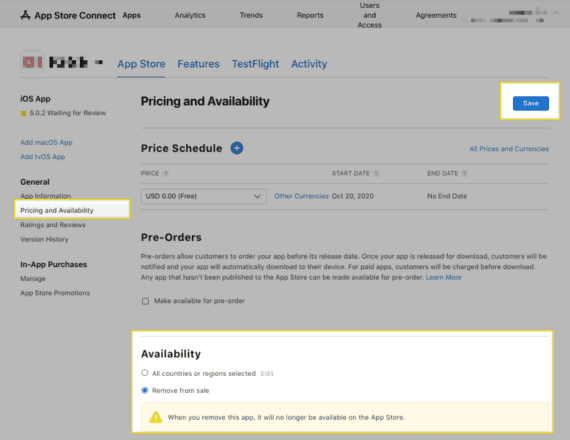
On the left menu under the General section, click on Pricing and Availability
In the Availability section, select theRemove from saleoption
Click on Save
Unpublish your Android app:
1. Log in to Google Playusing your Android developer account credentials
2. Click on the app you want to unpublish
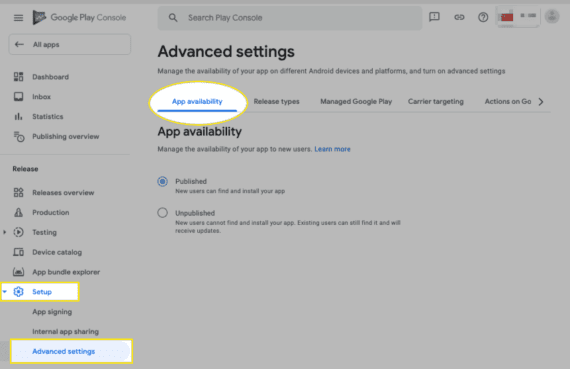
3. On the left menu under the Release section, click on the Setup dropdown and then Advanced settings
4. In the App Availability section, click on the Unpublish button and Save changes
Note: If your Android application is published under the Shoutem Google Play developer account, you will not be able to unpublish your Android app. please reach out to our support team for further assistance.
Still got questions?
Didn't find what you were looking for? No problem! Feel free to write to our support team.