In order to import your YouTube videos in Shoutem app, you will need your Youtube API key. Here is how to obtain it:
Create a project in Google dev console
Log in to YouTube/Google with the credentials you use for your Youtube videos.
Go to Google dev console
Click select a project

In the modal window that opens, click the “plus” icon to create a new project

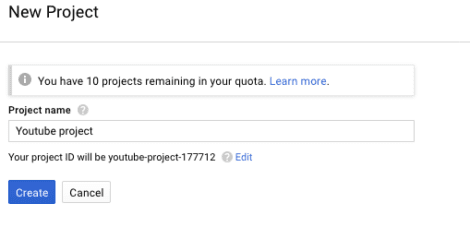
Name the project, eg. “Youtube project”, and click “Create”
Enable the YouTube API
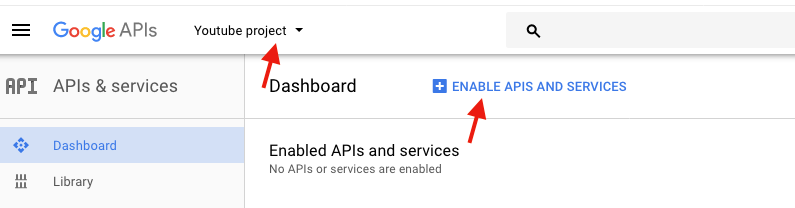
Make sure you are on the project page, and click “Enable APIS and Services”
Click “YouTube Data API”

Click “Enable”

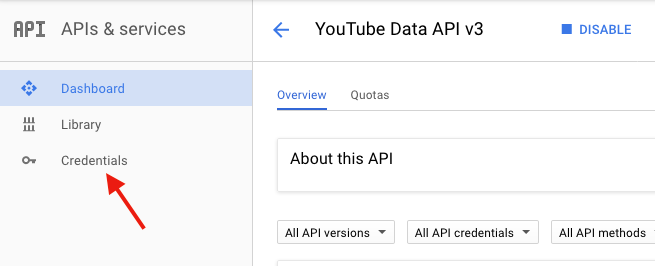
Now in the right menu click “Credentials”
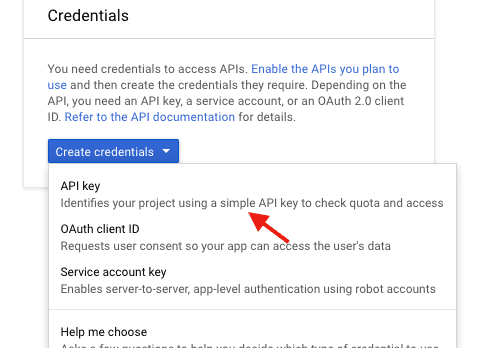
From “Create credentials” menu, select “API key”
The modal window “API key created” will pop. Copy the key
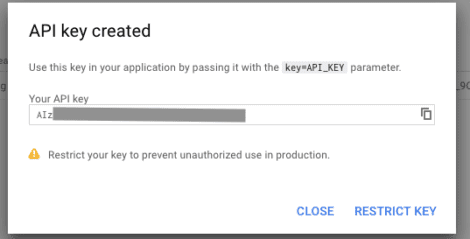
Copy your API key to your Shoutem Youtube extensions settings
In your Shoutem app dashboard click “Extensions” > “Media” > “Youtube.”
In the “Settings” tab paste your Youtube API key and save.
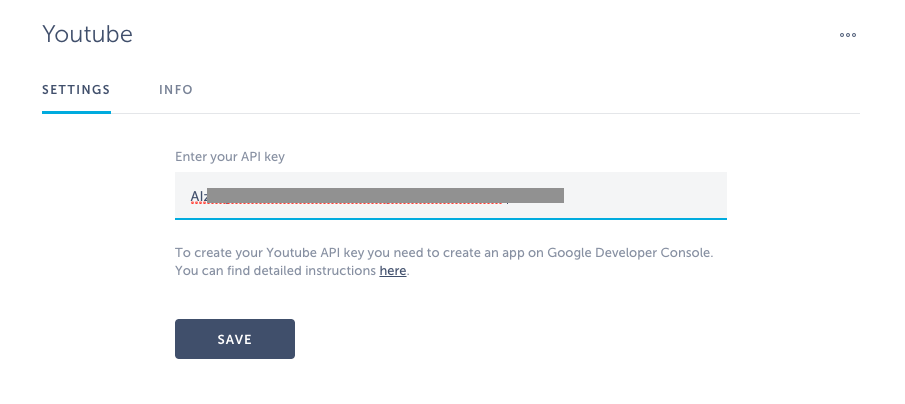
This is it. Your app is now set for your youtube feeds.